

Rahul Guleria
SEO Executive
Creative,
Branding
& Growth
in the Global
Digital Ecosystem

The rapid growth of online shopping in India has transformed how businesses operate. With increasing internet penetration and mobile usage, consumers now prefer shopping online for convenience, variety, and better pricing. Whether you're a startup or an established brand, having your own e-commerce website is no longer optional—it’s essential for growth.
If you're planning to build ecommerce website for your business, this guide will walk you through every step—from choosing the right platform to launching your store successfully. We’ll break down the entire ecommerce website development process into simple, actionable steps so you can get started with confidence.
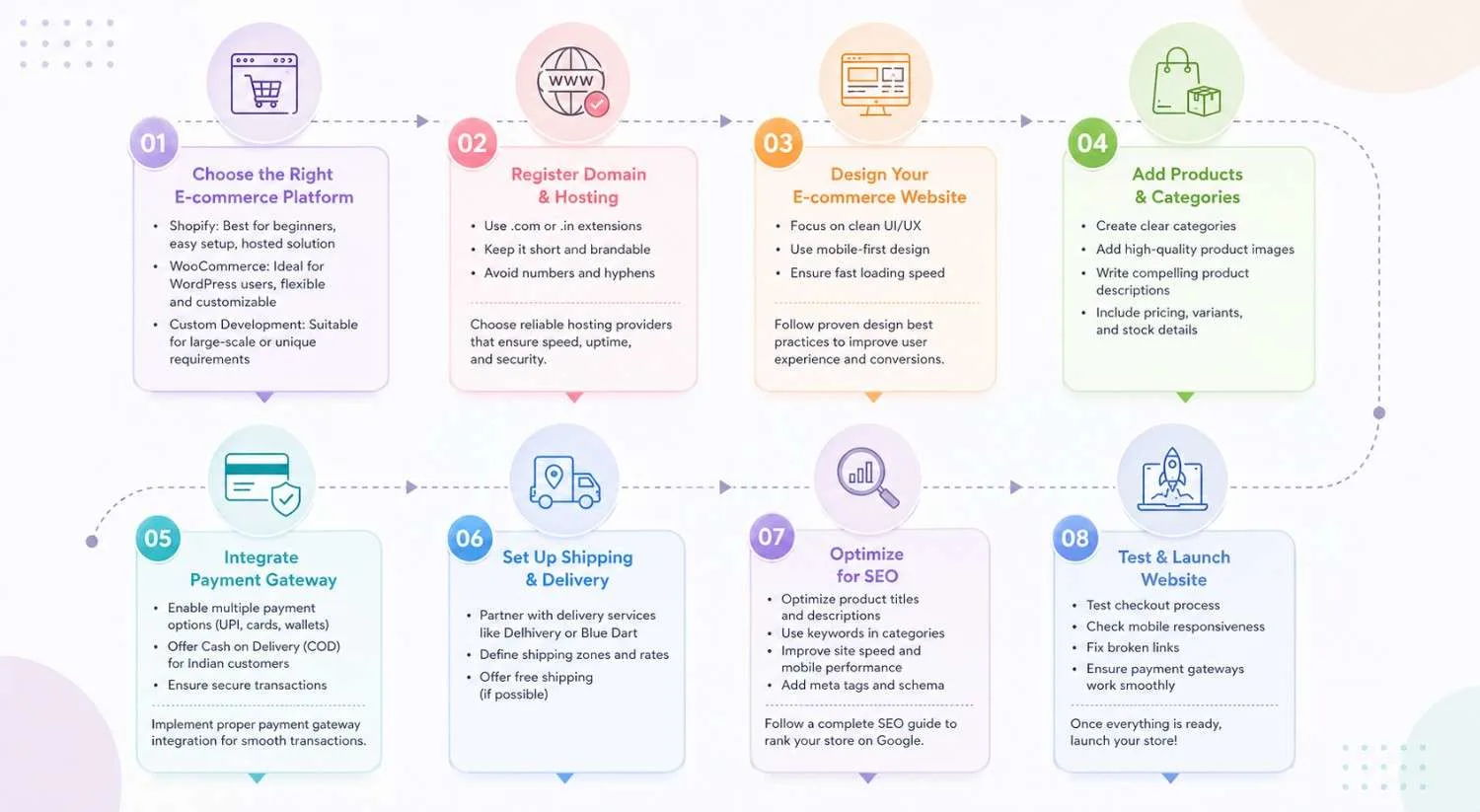
The first step is selecting the right platform for your online store. Popular options include Shopify, WooCommerce, and custom-built solutions.
Start by comparing the best ecommerce platforms to choose the right solution for your business.
Your domain name is your brand identity online. Choose a simple, memorable, and relevant domain.
For hosting, choose reliable providers that ensure speed, uptime, and security.
A well-designed website improves user experience and conversions.
Follow proven ecommerce website design best practices to improve user experience and conversions.
Organize your store properly to make navigation easy.
To accept online payments, integrate trusted gateways like Razorpay, Stripe, and Paytm.
Make sure to implement proper payment gateway integration for ecommerce for smooth transactions.
Efficient logistics are critical for customer satisfaction.
SEO helps your store rank on Google and drive organic traffic.
To drive organic traffic, follow a complete ecommerce SEO guide for ranking your store on Google.
Before going live:
Once everything is ready, launch your store!
To build a successful store, you’ll need:
Ensure your store includes essential ecommerce website features to improve performance and conversions.
Avoid these common pitfalls:
Avoid these common pitfalls by understanding key e-commerce website mistakes that can hurt your sales.
The timeline depends on complexity:
To plan better, review the complete ecommerce website development timeline for different project types.
The cost varies based on features and platform:
For detailed pricing insights, explore the ecommerce development cost breakdown in India.
Building an e-commerce website involves multiple steps—from choosing the right platform to optimizing for SEO and launching your store. With the right strategy and tools, you can create a high-performing online business that drives sales and growth.
If you need expert help, explore our ecommerce website development services to build a high-performing online store.
It typically ranges from ₹10,000 to ₹2,00,000+, depending on complexity.
Shopify is best for beginners, while WooCommerce offers more flexibility.
It can take anywhere from 1 week to 4 months depending on the project.
Yes, platforms like Shopify allow no-code website creation.
Product pages, payment gateway, cart, checkout, and SEO optimization.
Use keywords, optimize product pages, improve speed, and add meta tags.
Razorpay, Stripe, and Paytm are among the best options.